
Skip to content
← Simulator Guides

March 12, 2026

Golf Simulator Room Size Guide
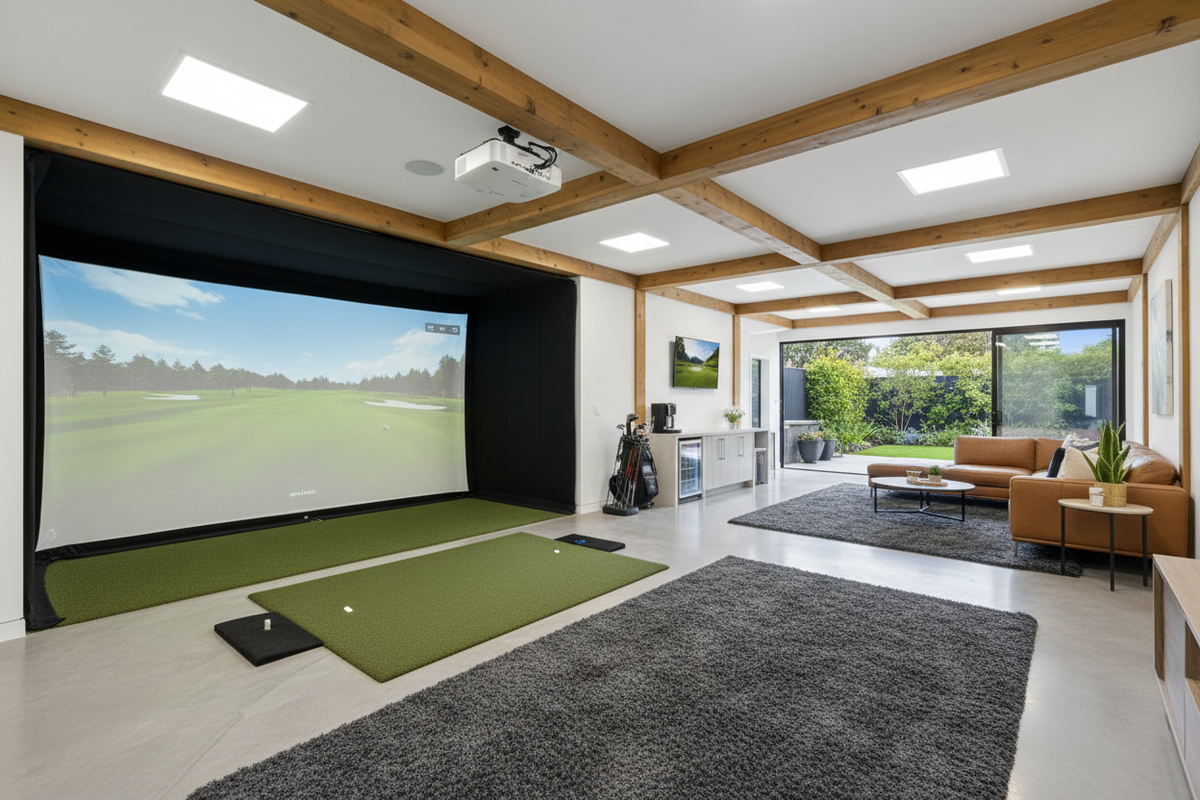
Golf Simulator Room Size Guide
Golf Simulator Room Size Requirements | GolfSims
Setup Guide

Golf Simulator
Room Size Requirements

Measure first, buy second. Here's exactly how much space you need β€” and what to do if you're working with less.

The most common mistake people make when planning a home simulator is picking equipment before they know what their room can actually handle. Your ceiling height, width, and depth aren't just nice-to-haves β€” they determine which launch monitors will work, how large your screen can be, and whether you can swing a driver without a ceiling tile becoming your short game. Start with the tape measure.

Minimum vs. Recommended Room Dimensions

Every simulator setup is shaped by three numbers: ceiling height, width, and depth. Here's where you want to land on each, and what you're giving up if you're working with minimums.

Ceiling Height
Minimum 9 ft
Ideal 10 ft+
Room Width
Minimum 10 ft
Ideal 12–16 ft
Room Depth
Minimum 14 ft
Ideal 16–20 ft
Typical Home Simulator Layout β€” Top View
IMPACT SCREEN ENCLOSURE BAY HITTING MAT LAUNCH MONITOR PROJECTOR 16–20 FT DEPTH 12–16 FT WIDTH
The depth trap Depth is where most people get caught short. You need space in front of you for the screen and enclosure, but also enough behind you to swing freely β€” and some radar-based launch monitors need 8+ feet behind the ball to gather accurate data. If your room is tight on depth, a camera-based monitor positioned beside or in front of the hitting zone is usually the right call.

Why Ceiling Height Is Non-Negotiable

Nine feet is the hard floor β€” anything less makes a full driver swing genuinely dangerous and uncomfortable. At exactly 9 feet, taller golfers (6'2" and up) may still feel restricted on the backswing. Ten feet is where most people can swing naturally without thinking about the ceiling.

A few things worth knowing: the 9-foot minimum assumes a flat ceiling directly above the hitting position. Sloped ceilings, exposed beams, ductwork, and light fixtures all reduce your effective clearance β€” measure to the lowest point above where you'll be standing, not the highest point in the room.

If you're on the edge at 9 feet, a low-profile ceiling mount for your projector (rather than a tall stand) and a minimal enclosure frame can help you reclaim a few inches of mental clearance, even if the physical number doesn't change.


Which Room in Your Home Works Best?

Most home simulators end up in one of five spaces, each with its own advantages and tradeoffs.

πŸš—
Garage The most popular choice for a reason β€” garages are typically wide, deep, and have higher ceilings than interior rooms. A two-car garage usually has more than enough space for a comfortable setup. The main considerations are temperature control and whether you want to give up parking space permanently.
🏠
Basement Excellent for depth and width, but ceiling height is often the limiting factor. Older homes with 8-foot basement ceilings are challenging β€” check carefully before committing. Finished basements with 9+ foot ceilings are ideal: climate-controlled, private, and purpose-built feeling.
πŸ›‹οΈ
Bonus Room or Spare Bedroom Viable if the dimensions work, but interior rooms often fall short on depth. Measure carefully. These spaces tend to be well-insulated and finished already, which reduces setup effort β€” the trade-off is usually fitting the enclosure into a tighter footprint.
🎬
Home Theater or Media Room A natural fit β€” the lighting control, projection setup, and acoustics you've already invested in translate well to a simulator. Confirm the ceiling clears 9 feet at the hitting position and that the existing screen wall is far enough away for a comfortable swing.

The Six Components Your Room Needs to Accommodate

Once you know your dimensions, you can start matching equipment to your space. Every complete home simulator setup includes these six components β€” your room size influences the specs you need for each one.

Launch Monitor
Impact Screen
Enclosure & Frame
Hitting Mat & Turf
Projector
Simulator Software
Start with your room, not a product page The best simulator for your space is the one that actually fits. Screen size, projector throw distance, and launch monitor placement all depend on your specific dimensions. Once you have your measurements, you can work backwards to the right equipment β€” rather than buying first and hoping it fits.

Know Your Room Size?

Use our Simulator Finder to get a tailored equipment recommendation based on your exact dimensions and budget β€” no guesswork required.

Find Your Simulator β†’