
The Complete Golf Simulator Buying Guide (2026)
We're knowledgeable guides who've spent serious time with every major system on the market. Our goal is to get you to the right setup for your space, your game, and your budget — even if that means telling you something costs less than you expected.
First: The Two Questions That Actually Matter
Before budget, before brand, before software — two things decide what simulator will work for you:
1. What is your ceiling height?
This is the number-one constraint. You need a minimum of 8.5 feet for most golfers to take a full swing without worrying about hitting the ceiling. Ideally 9 feet or more. If you have under 8.5 feet, your simulator options narrow significantly.
2. What is your room's width and depth?
At least 12 feet wide and 15–16 feet deep. Width matters for your swing arc — lefties especially need more lateral room. Depth determines how far back you stand from the screen.
Measure your actual space before reading another word of this guide. Most buyer regret comes from people who fell in love with a product before checking if it physically fits.
The Technology Split: Camera vs. Radar
Every launch monitor uses one of two tracking methods, and the choice matters enormously for indoor setups.
Camera-Based (Photometric) Systems
Examples: SkyTrak+, Foresight GC3/QuadMAX, Uneekor EYE XO2, Bushnell Launch Pro
High-speed cameras capture the ball in the first few feet of flight — typically 2–4 frames in milliseconds. The system calculates all your data from those images: ball speed, spin rate, spin axis, launch angle, and the rest.
Why it works indoors: No signal interference from metal walls, HVAC ducts, or overhead structures. The camera just sees the ball — that's it.
Limitation: It models ball flight rather than tracking it the whole way. For 95% of golfers, this distinction is meaningless in practice.
Doppler Radar Systems
Examples: Garmin R10/R50, FlightScope Mevo+, Trackman
Radar tracks the ball continuously through its full flight arc. This is how Trackman got famous — every range you've ever been to likely uses Trackman data because it's the closest thing to measuring what actually happens.
Why it can struggle indoors: Metal structures cause reflections. A garage with steel framing can introduce measurement noise. Camera systems are still the safer indoor bet, though modern radar units have improved significantly.
Where radar wins: Outdoor use, driving ranges, and spaces without metallic interference. The Garmin R50's touchscreen + radar combination is one of the best setups available for straightforward home use.
Budget Breakdown: What You Actually Get at Each Level
At this level you're looking at portable launch monitors — the Garmin R10, Rapsodo MLM2PRO, Swing Caddie SC4, or the Square Golf entry package. These are real tools that give you legitimate data: ball speed, carry distance, launch angle, spin rates.
What you're not getting: a full screen-and-enclosure simulation experience. You'll be hitting into a net or open space and watching the data on an app. That's still enormously valuable for winter practice, but it's not "play a round at Pebble Beach in your garage."
Best for: Year-round practice, swing data addicts, limited space, budget-conscious buyers.
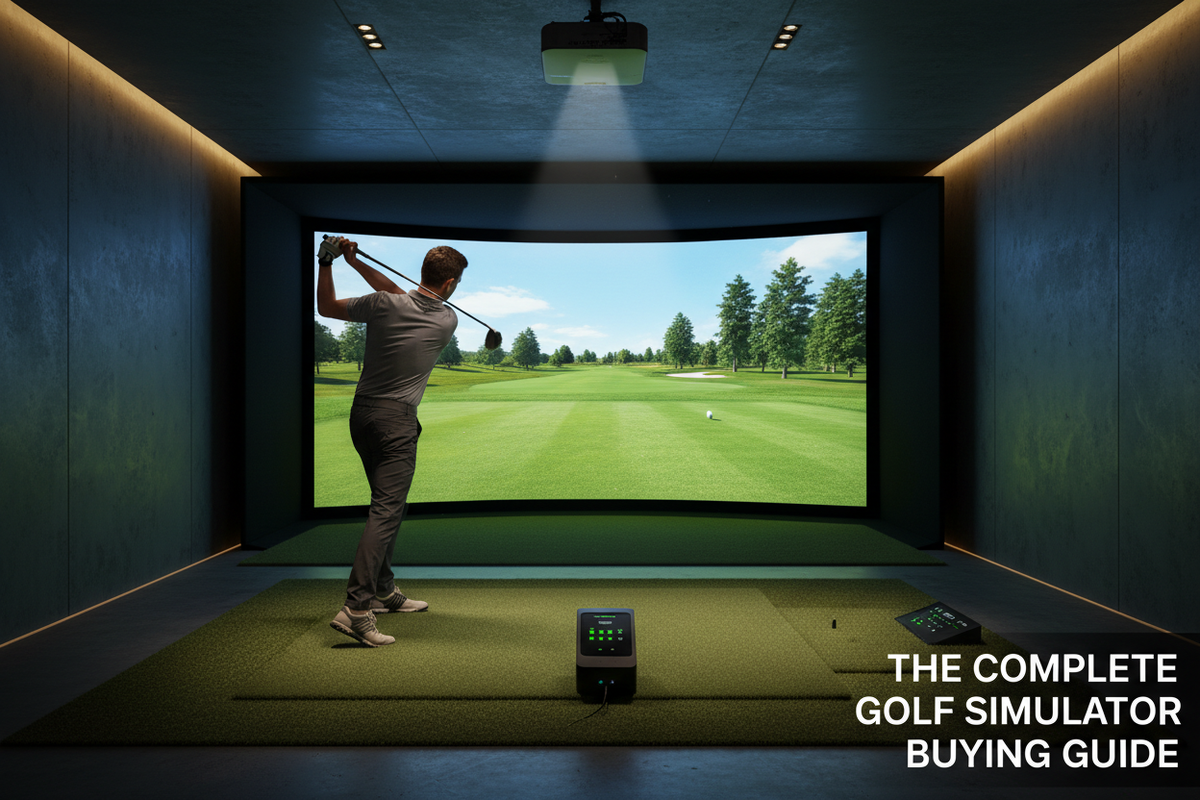
This is where you get a complete experience — launch monitor plus impact screen, enclosure, hitting mat, and projector. The SkyTrak+ at this level is the most popular choice in the country for a reason. You get course simulation, real data, and an experience that genuinely feels like golf.
Best for: Serious casual golfers, someone who wants to actually play golf at home.
Foresight GC3, Uneekor EYE MINI, upper-tier SkyTrak+ packages. At this level you're getting camera systems with full club data — not just ball data. You can see your face angle, swing path, attack angle, and dynamic loft on every shot.
Best for: Dedicated golfers focused on improvement, home studios built for longevity.
Foresight QuadMAX, Uneekor EYE XO2, Trackman 4. These are systems used by professional instructors and elite amateur facilities. The accuracy difference at this level is measurable and meaningful — but only if you're using the data and working with a coach.
Best for: Dedicated coaching setups, golfers working with instructors, commercial installations.
Trackman iO, Foresight commercial builds. The ceiling-mounted, radar-optical fusion systems used in TGL broadcasts and PGA teaching academies.
The Software Question Nobody Asks
The launch monitor gets all the attention. But the software — the golf simulation platform — is what you'll actually spend 90% of your time looking at.
Common Mistakes (And How to Avoid Them)
Buying the launch monitor first
The enclosure and screen need to match your room dimensions. Size the room first, build the package around it.
Underestimating the hitting mat
The mat absorbs every shot you take. Cheap mats with thin turf cause wrist and elbow injuries over time. Budget at least $300–500 for a quality mat.
Ignoring projector specs
Short-throw projectors are almost always necessary for home setups. Minimum 3,500 lumens for most rooms.
Assuming radar works fine in your garage
Metal framing, overhead doors, and steel beams can cause radar scatter. If your space has significant metal, go camera.
Forgetting about software subscriptions
Many platforms charge annual fees after year one. Factor ongoing software costs into your budget.
Minimum Room Requirements — Quick Reference
| Budget Level | Min Ceiling | Min Width | Min Depth |
|---|---|---|---|
| Under $2K (practice) | 8 ft | 10 ft | 12 ft |
| $2K–$5K (entry sim) | 8.5 ft | 12 ft | 14 ft |
| $5K–$15K (enthusiast) | 9 ft | 12 ft | 15 ft |
| $15K+ (serious studio) | 9.5 ft | 14 ft | 16–18 ft |
| Commercial / Trackman iO | 10 ft+ | 14 ft | 18 ft+ |
Use our Simulator Finder — 5 questions, 60 seconds, personalized match. Or reach out and our team will walk you through it.