
What Equipment Do You Need for a Golf Simulator?
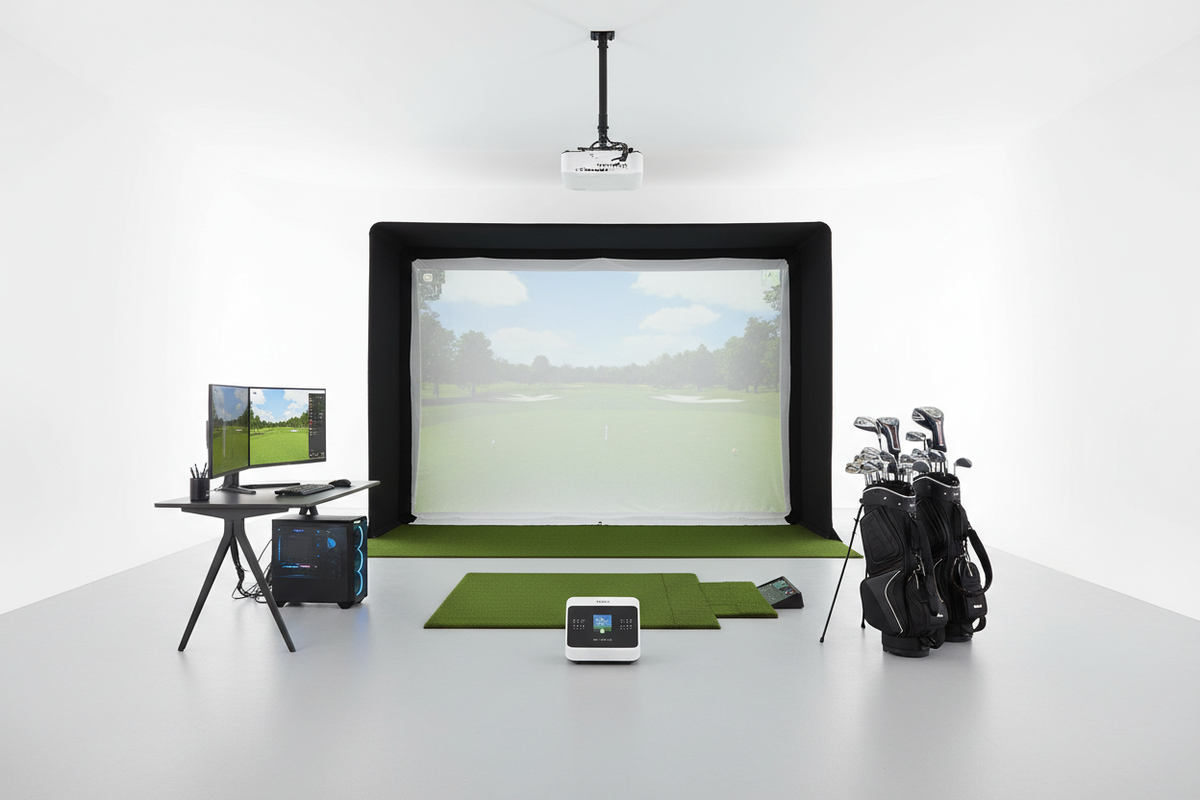
Building a golf simulator at home is more achievable than most people think — but it helps to understand what equipment is actually involved before you start shopping. A complete simulator setup has six key components. Some are absolutely essential. Others depend on how immersive an experience you want. Here's exactly what each one does and what to expect at every budget level.
The Six Components of a Golf Simulator
The launch monitor is the most important piece of equipment in a simulator. Every shot you hit gets tracked and measured — ball speed, launch angle, spin rate, carry distance, and shot direction — and that data is what the simulator software uses to recreate your shot on screen. No launch monitor, no simulator. The quality of your launch monitor directly determines the accuracy and realism of your entire setup.
The hitting mat is what you stand on and strike from on every single shot. It protects your floor, provides a realistic turf surface, and — critically — absorbs the impact shock that would otherwise travel through your club and into your wrists and elbows over thousands of swings. Budget at least $250–400 here. Cheap mats save money upfront and cost you in joint pain later.
You need something to stop the ball. A practice net ($100–$300) is the budget starting point — it stops shots safely but can't project an image. An impact screen ($200–$900) does the same job but also acts as the projection surface for the course image. If you want to watch your shots on a virtual course, you need an impact screen and a projector. If you just want data from your phone, a net is fine to start.
The enclosure frame holds the impact screen under proper tension and contains stray shots within the hitting area. Side barriers protect your walls, windows, and anything else in the room. Without an enclosure, a misshapen shot can travel to wherever it wants. With one, everything stays in the sim area. Usually bought as a set with the impact screen to ensure compatibility.
The projector takes the simulator software's output and displays it on your impact screen so you can see the virtual course, watch your shots land, and play full rounds. Must be short-throw — standard projectors need 8–14 feet of distance that most sim rooms don't have. Ceiling-mounted behind the hitting area keeps it out of your swing path. Minimum 3,500 lumens for most rooms.
Simulator software takes the data from your launch monitor and recreates your shot on a virtual golf course — calculating where the ball lands, how it bounces and rolls, and what the next shot looks like. Most entry-level launch monitors include basic software. Mid-range and above usually have subscriptions. Popular platforms: E6 Connect, WGT Golf, TGC2019, GSPro.
What's Required vs What's Optional
Complete Package vs Building Piece by Piece
Build Your Golf Simulator Setup
At GolfSims.com, we make it easy to find the right simulator equipment for your space and budget. From launch monitors and impact screens to enclosures, turf, projectors, and complete simulator packages, we carry everything you need — and we'll make sure it all works together before you order.
Take our 60-second Simulator Finder quiz and we'll tell you exactly which equipment you need for your space and budget.